
How to Search Steele County Civil Dockets
Minnesota Court Records Online is the statewide public search layer for a Steele County District Court civil docket. Pick Person for an individual. Pick Business for an organization, or Case Number when the court file is known. The Court Locations filter narrows results to Steele. Beyond the main case search, MCRO offers Document Search for a complete case number, Hearing Search for calendar entries, and Judgment Search for a separate index of debtors and docketed judgments.
Start narrow. Add a first or middle name, filing date, status, or case category only when a crowded result list needs trimming. Once a result opens, check the title, number, case type, filing date, location, status, and judicial officer. Then read Case Details and the Register of Actions, which MCRO may label Case Events. Judgment Search is useful for judgment details. It does not replace the full civil case register.
- Open MCRO and select Person, Business, or Case Number based on the information available.
- Choose Steele in Court Locations and enter a name or complete court file number without spaces.
- Review the result list, then open Case Details for the matching civil, conciliation, family, probate, or related record.
- Read the newest Case Events, hearing rows, and public document links before relying on a status label.
- Use Court Administration for an older, restricted, certified, or non-imaged document.
Note: A civil case can stay visible in MCRO even when the particular document you need is not available remotely.
Steele County Civil Case Number Routes
Steele daily-calendar examples pair the county prefix 74 with a case-type code. A year and a sequence follow. Civil-facing examples include 74-CV-26-#### for civil, 74-CO-26-#### for conciliation, and 74-FA-25-#### for family. These are local display patterns. Not every record carries the same year or sequence. Copy the full court file number exactly from a notice, order, or MCRO result.
- CV
- A civil case-type prefix observed in Steele County calendar entries.
- CO
- A conciliation case-type prefix in the District Court system.
- FA
- A family case-type prefix observed in local calendar entries.
- Case Events
- The MCRO label for chronological docket activity, generally displayed newest first.
- eFS
- Minnesota eFile and eServe, the filing and service system for registered filers, not the public docket.
Parties and attorneys who file electronically use Minnesota eFile and eServe as the filing channel. It is not a public search tool. For the public register, use MCRO. The courthouse terminal and Steele County District Court Administration also work. An eFS filing screen is not where a docket search happens.
What a Steele County Civil Docket Shows
Case Details supplies the structure for reading a Steele County civil docket. The Overview can show upcoming hearings and financial information. Case Information identifies the court file and its status. Party and attorney entries explain each role. Case Events then give the dated sequence: filing, service, motion, response, order, settlement, judgment, appeal, satisfaction, or another record action. Read the actual document or order for an entry's meaning. The label alone will not carry it.
| Case Information | Number, title, type, filing date, Steele location, judicial officer, status, flags, and related cases. |
|---|---|
| Parties and attorneys | Roles such as plaintiff, defendant, petitioner, or respondent, plus representation and public fields allowed by rule. |
| Case Events | Filing, service, motion, response, order, settlement, judgment, appeal, satisfaction, and document index entries. |
| Hearings | Past or upcoming date, time, location, judicial officer, hearing type, and connection field. |
| Disposition and finance | Dismissal, settlement, judgment, family or probate outcome, fees, payments, award, and satisfaction data where shown. |
A related-case field can point to another record or an appeal. Two file numbers are not automatically duplicates. Steele County District Court cases can move to the Minnesota Court of Appeals. The appeal gets its own file. When the record shows an appellate link or related matter, search both numbers.
Steele County Civil Filing Searches
MCRO offers different search modes. The facts available differ from one civil matter to the next. A business-name search finds cases filed under an organization. A person search can be narrowed by first or middle name. A complete case number opens the clearest route. It leads to the Register of Actions and Document Search. The official MCRO quick guide describes the fields and controls in the public application.
| MCRO field | Use for a civil docket | Format or control |
|---|---|---|
| Person Last Name | Locate an individual party | Required for person search; wildcard follows at least two characters |
| Business Name | Locate a company or organization party | Required for business mode; exact, wildcard, or Sounds Like choices |
| Case Number | Open one known court file | Complete number; dashes or leading zeros may be used, never spaces |
| Date Filed and Status | Reduce a broad result set | Use filters only when they help distinguish the case |
| Court Locations | Limit statewide results | Choose County and select Steele |
Never combine wildcard and Sounds Like in a name search. If results look incomplete, retry with or without a middle name. Check the spelling. Loosen a filter if needed. Need a document? Switch to MCRO Document Search and enter the full case number. For a hearing, use Hearing Search or the daily calendar. The status field does not list the next setting.
Steele County Civil Docket Case Types
Steele County District Court is a unified trial court. Its civil-facing records span ordinary civil actions. They also cover conciliation matters, family proceedings, probate, guardianship or conservatorship, trusts, and related categories. The court page identifies civil, family, and probate jurisdiction. Each case type carries its own public-access and document rules. A case title or event line is no guarantee. Not every attachment is open to remote viewing.
| Case route | What the docket can show | Access point |
|---|---|---|
| Ordinary civil | Claims, filings, motions, orders, settings, judgment, and satisfaction | MCRO Case Details and Document Search |
| Conciliation | Lower-dollar civil procedure and conciliation settings | District Court record using the CO route |
| Family | Public docket activity and the limited document group allowed remotely | MCRO, terminal, or Court Administration |
| Probate and trust | Case type, events, orders, and permitted documents | MCRO coverage depends on date and category |
Conciliation Court is a District Court procedure, not a separate Steele County clerk, court building, or independent online docket. A city attorney or city ordinance may shape the start of a local matter. The District Court still keeps the civil record either way.
Steele County Civil Conciliation Dockets
A conciliation entry in the local calendar commonly carries the CO prefix. It stays inside the District Court administrative system. The records route remains MCRO, the courthouse terminal, or Court Administration. That distinction matters if you expect a separate county clerk record. Steele County has no separate civil clerk or civil annex. City routes never replace the District Court case record. The City of Owatonna official site shows the city-routing reference.
City offices in Owatonna can point you to local government contacts. The court docket itself stays with District Court, though. That is where a Steele filing lives.
Need a Conciliation Hearing, a default hearing, or some other current setting? Search the Steele daily calendar with your case number, and try MCRO Hearing Search too. Treat the calendar as a scheduling aid rather than a historical civil register. Is a row missing? Does a date clash with an order? Court Administration will confirm the current setting for the case.
Steele County Civil Docket Settings
Where do civil docket settings show up in Steele County? Two places: MCRO Hearings and the local searchable calendar PDF. Common local labels include Settlement Conference, Motion Hearing, Default Hearing, Evidentiary Hearing, Court Trial, Jury Trial, Conciliation Hearing, and Order to Show Cause Hearing.
Remember what a setting actually is. It marks a scheduled court event, nothing more. A settlement conference is listed, but that does not mean a settlement happened. No motion was granted. No trial finished. For a real result, read the later Case Event or the order in the court record.
- Settlement Conference
- A scheduled effort to resolve a civil or family matter; it does not prove settlement.
- Motion Hearing
- A hearing on a request for court action; the order or event states the ruling.
- Default Hearing
- A scheduled default proceeding, not a final judgment by label alone.
- Court Trial
- A bench-trial label that should be distinguished from Jury Trial.
The daily calendar gives you location, date, and time. It lists the judicial officer too. Hearing type, connection type, and case number round it out. It goes up at 7:00 a.m. on business days. The local Steele court page says it is updated hourly.
Dates can shift after posting. A later order, a new hearing row, or a fresh calendar pull may reveal a reset or continuance. Does a date look close or unclear? Call Steele County District Court Administration at 507-686-7012 to confirm it. One more caution: confidential proceedings can be left off the calendar entirely. A missing civil row does not mean the hearing was canceled.
Steele County Civil Event Images
A civil Case Event and a civil document image are not the same thing. The Register of Actions may show a motion, an order, a service record, or a judgment as filed. The image may still be unavailable remotely. Broad public document availability for civil cases generally starts July 1, 2015. Older records fall into narrower categories.
Suppose the event lists a document index number but MCRO shows no public image. Do not assume the document never existed. Ask Court Administration about the public access or copy route. Before paying for anything, the Minnesota District Court fees page is the source to check. It carries the county and category fee selector for certified records and civil filings alike.
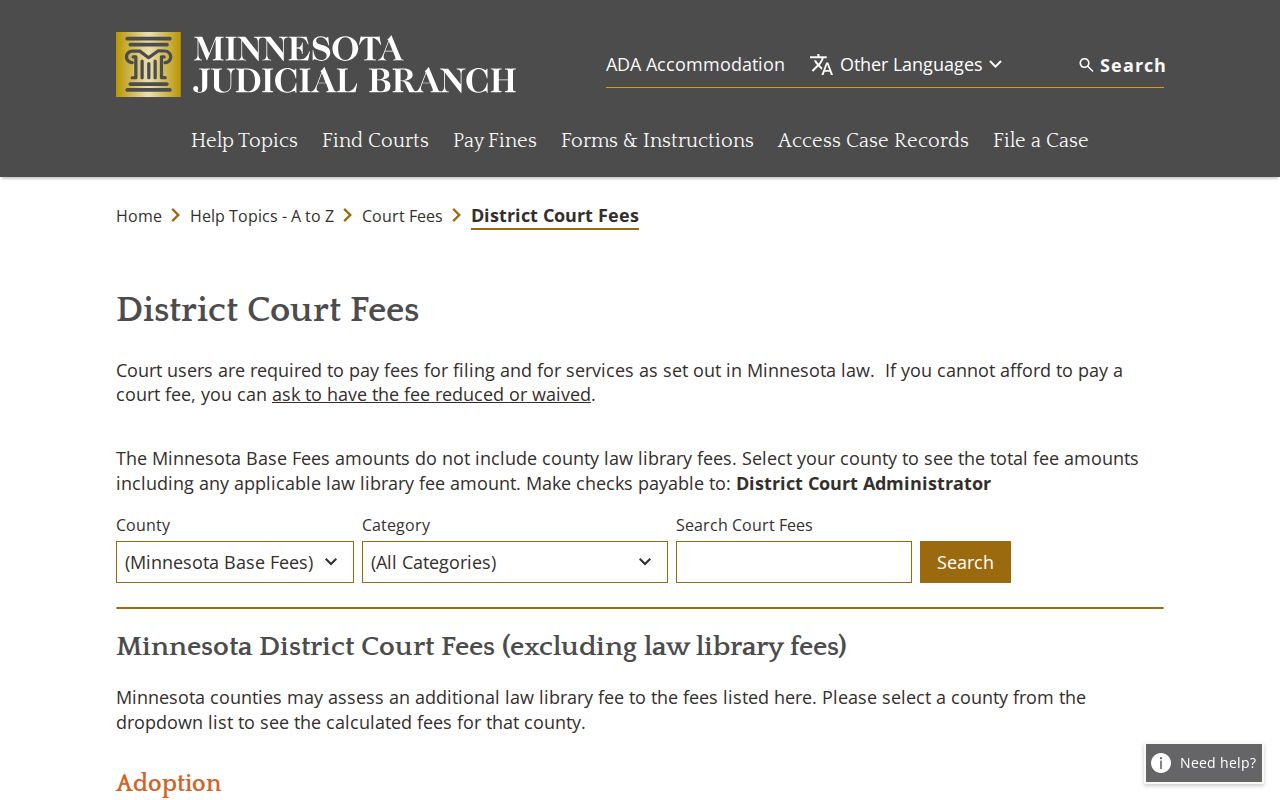
Check that fee selector before requesting a paid certified record or filing a civil paper. It reflects the current district-court fee category.
What runs the tab up? The fee table lists a $310 civil first-paper fee, and a marriage dissolution first paper runs $340. A civil motion or jury demand is $100. Category and exemption rules apply. None of those are search charges; they are filing amounts. MCRO downloads of eligible public documents carry no charge. A court-issued certified copy costs a separate fee.
Steele County Civil Docket Access Rules
Two frameworks govern public access to a Steele County civil docket. One is the Minnesota Public Access Rules. The other is the Minnesota Government Data Practices Act. Court records are presumed open during custodian hours unless a rule, a statute, or an order makes them nonpublic. Access on the internet is not the same as access at an MPA Courthouse terminal. The difference matters. Family, civil-commitment, domestic-abuse, harassment, juvenile, CHIPS, medical, and other protected materials can carry limits. That holds even when the case record has a public component.
Access rules to use:
Minnesota Government Data Practices Act, Minn. Stat. §13.03 provides for inspection and copying of public government data and requires identification of a classification when access is denied.
Minnesota Public Access Rules, Rule 2 sets the presumption of court-record access during the custodian's regular hours.
Rule 8 explains why some public courthouse-terminal material is not available through remote MCRO access.
Need a confidential or sealed record? The CON101 request packet may fit the file and the request. File one form per county; the court then decides access. Identify the specific record you need. Don't request an entire protected file, especially when a public event or document would answer the question.
Steele County Civil Certified Copies
A free MCRO image sometimes is not enough. Need a plain, certified, or exemplified copy? Steele County District Court Administration is the office to contact. Give the staff the court file number, the case title or party information, and the exact document or event. Add the date, delivery details, and the certification level you need.
A complete request keeps the public docket line from being confused with the document behind it. Keep one thing straight. The court administrator is the custodian. A city office, a county department, and the statewide e-filing platform are not.
| Record need | Official route | Amount or limit found |
|---|---|---|
| Eligible public document image | MCRO Document Search or Case Details | Current MCRO download fee is $0 |
| Plain copy or printout | MCRO or Court Administration | Current District Court display lists $0 |
| Certified instrument or imaged printout | Court Administration | $14, confirm the requested product |
| Exemplified plus certified instrument | Court Administration | $28, confirm certification level |
Three routes work for certified copies of Steele County civil records. Use the public terminal at the courthouse. Make a request at the counter in person. Or mail a clear written request with the fee. Parties in a case can also file a copy request through Minnesota eFile and eServe. The Judicial Branch copy-request page spells out the certified and uncertified options side by side. For an older file that seems missing, ask the clerk whether it has been archived. If so, the Minnesota Historical Society district-court records guidance may be the right historical fallback.